

Ravelry Goodies
Things For your Site
Project counter buttons
 On the "projects" tab of any pattern page, you'll see a counter that shows the current number
of projects for that pattern. If you are a designer and you'd like to add the button (which links to Ravelry) to your
site, use the nearby "get HTML" link to grab the code.
On the "projects" tab of any pattern page, you'll see a counter that shows the current number
of projects for that pattern. If you are a designer and you'd like to add the button (which links to Ravelry) to your
site, use the nearby "get HTML" link to grab the code.
Progress bars
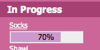 We provide data and some simple Javascript tools that you can use to add progress bars, project photos, and more
to your blog. Quick instructions can be found at http://www.ravelry.com/help/api.
For help and more information, check out the "We <3 Progress Bars" group
We provide data and some simple Javascript tools that you can use to add progress bars, project photos, and more
to your blog. Quick instructions can be found at http://www.ravelry.com/help/api.
For help and more information, check out the "We <3 Progress Bars" group
Buttons
 You can find a variety of images suitable for use on your site on
the Homegrown Swag Page in the Ravelry wiki.
You can find a variety of images suitable for use on your site on
the Homegrown Swag Page in the Ravelry wiki.
Browser Add-ons and Bookmarklets
Ravel It Bookmarklet
 Firefox, Safari and Chrome users can add a bookmark to their toolbar that
jumps to the Ravelry page that corresponds to whatever you are currently visiting.
See a pattern that you like out on the web? Ravel it to quickly jump to it's entry in Ravelry.
You can find this bookmarklet at the bottom of the Patterns tab.
Firefox, Safari and Chrome users can add a bookmark to their toolbar that
jumps to the Ravelry page that corresponds to whatever you are currently visiting.
See a pattern that you like out on the web? Ravel it to quickly jump to it's entry in Ravelry.
You can find this bookmarklet at the bottom of the Patterns tab.
Add to Queue Bookmarklet
 Like Ravel It, but for your queue.
See a pattern that you like out on the web? Queue it with this bookmarklet.
You can find this tool in the queue section of your notebook.
Like Ravel It, but for your queue.
See a pattern that you like out on the web? Queue it with this bookmarklet.
You can find this tool in the queue section of your notebook.
Browser Pattern Search
 Users of most web browsers can add Ravelry as a search engine
Firefox: Ravelry links on knit/crochet sites
 This Greasemonkey add-on for Firefox shows a Ravelry project counter on about 140 different pattern sites.
The counter will appear in the lower right and you can click it to jump directly to that pattern's page on Ravelry.
Read more and install the script at userscripts.org.
This Greasemonkey add-on for Firefox shows a Ravelry project counter on about 140 different pattern sites.
The counter will appear in the lower right and you can click it to jump directly to that pattern's page on Ravelry.
Read more and install the script at userscripts.org.
RSS Feeds
Any page that shows an RSS icon in your browser's address bar provides a feed that
is tailored for that page.
A few of the more useful feeds:
Friends activity
 Subscribe to the RSS feed in the "friends activity" section
of your notebook to keep up with friends' favorites, comments, new projects, and more.
You can filter your feed by friend set and by activity type.
Subscribe to the RSS feed in the "friends activity" section
of your notebook to keep up with friends' favorites, comments, new projects, and more.
You can filter your feed by friend set and by activity type.
Project notebook
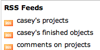 Click on the RSS icon in your project notebook to find feeds for all projects, finished objects and comments.
Pattern watching
 Subscribe to the "projects" tab of any pattern to receive updates when
new Finished Objects appear.
Subscribe to the "projects" tab of any pattern to receive updates when
new Finished Objects appear.
Forums and threads
 You can subscribe to any forum (to get updates when new thread are started)
or any thread (to get updates when new posts are added)
You can subscribe to any forum (to get updates when new thread are started)
or any thread (to get updates when new posts are added)
User activity
 Subscribe on your own profile page to get RSS that can be placed on your blog, iGoogle
home page, or other site.
Subscribe to another person's feed to keep up with your friends or family.
Subscribe on your own profile page to get RSS that can be placed on your blog, iGoogle
home page, or other site.
Subscribe to another person's feed to keep up with your friends or family.
Mobile Devices
Mobile Ravelry and unofficial Apps
 An up to date list of apps that connect to Ravelry:
http://www.ravelry.com/about/apps
An up to date list of apps that connect to Ravelry:
http://www.ravelry.com/about/apps
GoodReader Support
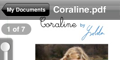 iPhone/iPad users can connect to their Ravelry PDF library with any of the GoodReader PDF viewing apps.
You can load PDFs directly from Ravelry without having to copy or sync them.
Instructions are available here: http://www.ravelry.com/wiki/pages/GoodReader
iPhone/iPad users can connect to their Ravelry PDF library with any of the GoodReader PDF viewing apps.
You can load PDFs directly from Ravelry without having to copy or sync them.
Instructions are available here: http://www.ravelry.com/wiki/pages/GoodReader
API
 If you are a developer and you are interested
in using the Ravelry API from your mobile app, check out the Ravelry API group.
If you are a developer and you are interested
in using the Ravelry API from your mobile app, check out the Ravelry API group.
Exporting your data
We don't have many exports at the moment. Here are a few:
Stash spreadsheet
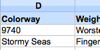 You can save your stash data as a spreadsheet by clicking the small Excel icon in the stash section
of your notebook.
You can save your stash data as a spreadsheet by clicking the small Excel icon in the stash section
of your notebook.
Project progress API
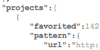 You can export most of your project data in JSON format by using the link provided on the Project Progress API page:
http://www.ravelry.com/help/api
We don't yet know of any tools that have been created for project exporting.
You can export most of your project data in JSON format by using the link provided on the Project Progress API page:
http://www.ravelry.com/help/api
We don't yet know of any tools that have been created for project exporting.
